The Hidden Price of Convenience: What Third-Party Logistics Tools Cost You
Published: – Updated:

The use of third-party logistics software is not new in warehouse management. An eCommerce integration or reporting tool can support the core workflows. Another benefit is that the company doesn’t need to spend time and money building it itself. For many operations, it’s a practical way to get the ball rolling.
But the subscription is only a visible part of the bill.
The actual warehouse management system cost hides in workarounds between tools that don’t communicate properly. It hides in repeatable support tickets and in incidents that take too long to identify or resolve. It hides in a roadmap shaped by the vendor, not you.
While these costs may not appear as a separate invoice line, your operations teams pay for them every day in time that could’ve gone to business growth.
In this article, we break down where those hidden costs of third-party tools come from. We also offer a practical framework for deciding when a tool is still worth keeping and when a costly connection needs attention, supported by a real-world example.
Why logistics companies rely on third-party tools
Custom software development requires a logistics company to invest in engineering, architecture, hosting, and ongoing maintenance before it can solve a specific operational problem. Whether they build it internally or with help from an external development partner.
Third-party tools are already built and tested, so organizations naturally consider them.
Among other benefits are:
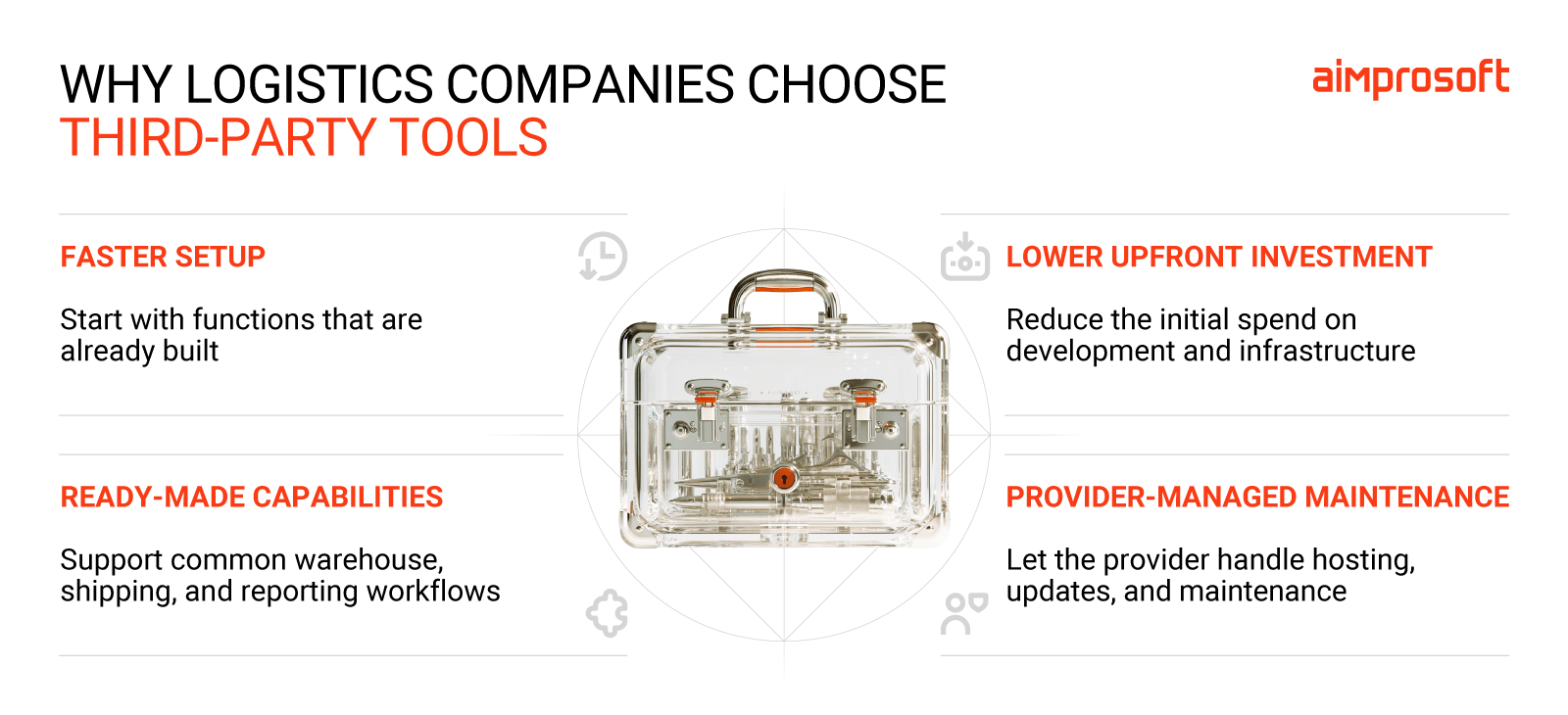
- Faster setup. Core warehouse or fulfillment functions are already available, so you don’t have to design and build them from scratch.
- Lower upfront commitment. Subscription-based products can reduce the initial investment in software and supporting infrastructure.
- Standardized capabilities. Common processes such as order handling, shipping, reporting, and inventory updates are often already supported.
- Less initial technical ownership. The provider typically manages hosting, routine updates, and product maintenance, leaving the logistics company to focus on its core business instead of the tech side.
Ready-made tools help teams move fast in a competitive market. But as operations grow and companies add sales channels, clients, carriers, and warehouse locations, the number of systems and handoffs grows too.
What third-party logistics tools really cost you
As we mentioned earlier, WMS cost falls into two categories when you rely on third-party tools. The first is what you pay the vendor. These are the numbers you can compare and negotiate, even if prices change over time.
The second category is what often gets overlooked. It’s what you pay to keep these tools working alongside your existing stack. Take a support ticket that comes back every week. Each time, it seems too minor to count, so it rarely makes it into the estimate. But these small costs repeat and add up, changing the final price from what was originally budgeted.

The costs you see
A typical vendor quote breaks warehouse management system cost into subscription fees (per-user, per-order, per-SKU, or per-location), paid connectors, and integration modules. Plus, it includes API access tiers, charges for exceeding usage limits, and premium support plans. Finally, implementation and onboarding services also cost money.
Your team can request quotes for all of these, include them in a budget, and compare them to make a well-informed choice. But once the tools are in place, the effort it takes to run them day to day often goes unnoticed until someone starts counting.
The cost of tool sprawl
Workarounds between systems. When a WMS and a third-party carrier system, billing tool, or reporting solution don’t exchange data properly, warehouse workers must close the gaps manually. While exporting files or using spreadsheets instead of the core WMS may not sound harmful, these things add up.
As volume grows, so do the time and effort employees spend checking whether orders, inventory, labels, and statuses match, increasing the labor cost of processing orders.
Recurring breakdowns. Like any other software, third-party tools break. But when the key issue is on the vendor’s side, there’s little you can do besides log a ticket and wait for their team to fix it. This dependency creates a bottleneck and forces additional fixes and communication with affected clients.
Meanwhile, your shipment commitments remain, and missing them costs you lost revenue and clients. In the UK alone, a study showed that 64.3% said they wouldn’t reorder from a retailer after a failed delivery.
Functionality limits. In a competitive market, a logistics company needs to stand out with its offerings. So, when a client comes with a specific request your WMS currently can’t offer, the quick fix is to add another third-party tool. While it solves the request, it also adds another subscription, an integration to maintain, and another vendor whose updates you don’t control.
Over time, every new request adds another vendor, and you end up paying more for a stack that fits your business less.
Reducing third-party dependency in practice: Zenfulfillment
Zenfulfillment, an eCommerce fulfillment provider, relied on a third-party packing module with a license fee for each station. The module ran on older technology: it exchanged data through FTP servers, which limited how quickly it could process events. When a new client required specific packing steps, it couldn’t support them either.
Instead of adding another third-party tool, the company decided to build its own packing application, designed around its own workflows and client requirements, while keeping the core warehouse system.
1. Resume development around actual warehouse needs
Zenfulfillment had already started building custom warehouse software, but resource constraints had paused the project. Our engineers joined their development team to help move it forward.
Their development lead worked directly with warehouse staff to understand each packing step. Those requirements guided the application’s functionality, including specific packing instructions the external module couldn’t support.
2. Build and connect the packing workflow
Together, we developed barcode scanning, batch handling, and automatic label printing within the custom application. Staff could scan a batch, identify an order’s products, confirm the packaging, and print the required shipping label.
The application worked alongside the existing warehouse system, which continued providing core warehouse data. We also connected document generation to warehouse printers, bringing selected printing functions in-house.
3. Introduce the application at packing stations
The team rolled out the application with configurable workflows for different station layouts, equipment, and procedures. Currently, it’s running at 14 packing stations. This replaced the paid packing module at those stations and supported client-specific requirements without replacing the core warehouse system.
When to keep, fix, or replace a third-party tool
Just because companies use third-party logistics software doesn’t automatically mean trouble. But the effect stays, nonetheless. Some can run quietly and cause friction, while others can spark real fires. To help you decide which tool to keep and which to replace with custom development, we’ve prepared a framework you can use in your work.
Step 1: Measure what each tool really costs to run
- How much manual work happens around it?
List the exports, spreadsheet checks, re-entered data, and status reconciliations linked to the tool. Ask the people doing the work, not just the people who own the system. Workarounds rarely show up in tickets because staff stop reporting things they’ve learned to fix themselves. - When it breaks, who can fix it?
Look at incidents from the last few months. Note how often the root cause was on the vendor’s side, how long resolution took, and whether shipments or client commitments slipped while you waited. - What has it stopped you from offering?
Count the client requests the tool couldn’t support, and the add-on tools you bought to cover them. Each one points to a functionality limit you’re already paying for. - Does its price grow faster than its value?
Check the pricing model against your growth plans. Per-station, per-order, or per-location fees can look fine at today’s volume. Project them to the number of stations, clients, or warehouses you expect next year.
Step 2: Separate tool problems from connection problems
Once you’ve found your issues, it’s important to distinguish between root causes. One can be a connection issue, while another is the tool itself. Distinction matters more than you think, because without the right issue, there can be no right solution (and it’s a costly lesson for business).
If a problem is connection, it most likely sits between systems. Each tool works correctly on its own, but data gets lost, delayed, or distorted as it moves between them. For example, a WMS might show the right stock level, but the eCommerce platform shows a different one. Or an order might ship on time but never update its status for the client. These issues usually show up after a sync or file transfer, and the fix involves correcting mappings, re-sending data, or reconciling records by hand.
If a problem is a tool, it sits inside the system itself. That can include an inability to support a workflow your business needs, breaking regardless of what it’s connected to, or improvements that depend on the vendor’s roadmap. In this case, staff don’t just fix data between systems, so they work around the tool.
To tell them apart, take a few recent cases and follow the data end to end. If both systems are right on their own but disagree with each other, the connection is the problem, and replacing either tool will only move it somewhere else. If the tool itself falls short, the next step is deciding how far to go in replacing it.
Step 3: Match what you found to an action
| If this is your situation | You’ll typically see | What to do |
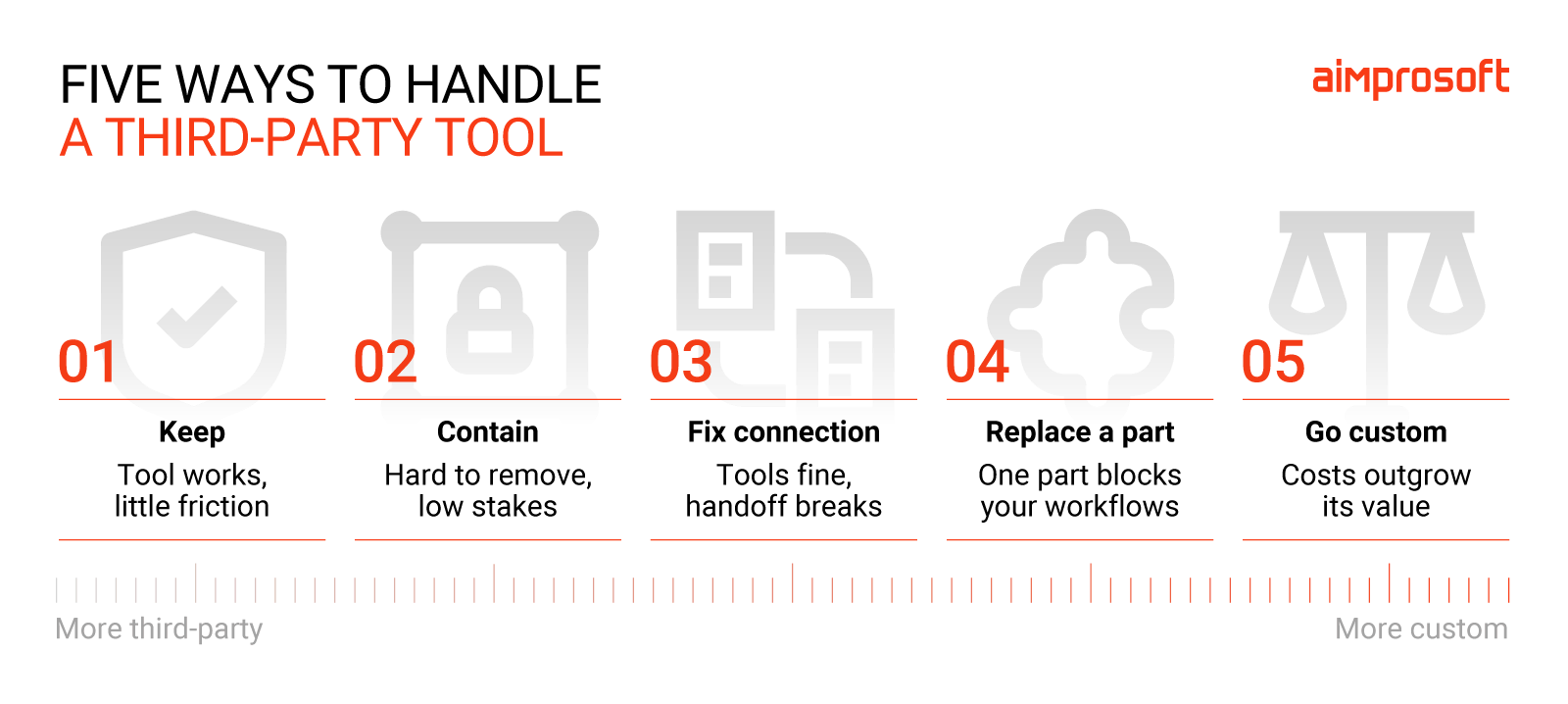
| The tool works, and nothing around it hurts | Accurate data, few workarounds, the vendor resolves issues on time, pricing scales acceptably | Keep it. Document its role, owner, dependencies, and exit conditions |
| Both systems work, but they don’t agree | Staff re-enter data, reconcile records, fix mappings, or chase failed syncs | Fix the connection. Define data ownership, improve the integration, automate reconciliation, and make failures visible |
| One part of the tool can’t keep up with your business | Client-specific workflows need workarounds, changes wait on the vendor’s roadmap | Replace that part with a custom component. Keep the rest of the stack if it performs well |
| The tool costs more than it gives back | Manual effort, incidents, support costs, or license fees grow faster than the value | Replace it with a custom solution. Build the case on total cost and operational impact, then plan the migration |
| The tool is hard to remove but doesn’t matter much | Replacement would be expensive, but the process is stable and doesn’t affect margin, service levels, or growth | Keep it for now and contain it. Limit its impact and don’t expand its role |
This framework isn’t here to force you to replace all the third-party software in your system. But logistics tools are made to simplify work, not the other way around. So, if you’re facing difficulties with your current setup, we hope this will help you make up your mind.
Finding the right balance
Third-party logistics software should save your team’s work. When keeping them connected becomes a job in itself, the subscription price stops telling the full story.
As Zenfulfillment’s example shows, bringing one workflow in-house can reduce dependency without replacing the entire WMS.
If you’re unsure which tools still earn their place, our team can help identify where the extra work comes from. Together, we can determine whether improving an integration or building a custom component would address it.
Get a free stack evaluation