Custom WMS vs Off-the-Shelf Software: Which Is Right for Your Operations?
Published: – Updated:

The off-the-shelf vs. custom software question is as old as software itself, and each side has its advocates. Buy a WMS, and you can go live faster. But you also inherit the vendor’s assumptions, release schedule, and a pricing model where costs can grow with your order volume.
Build a custom WMS, and you can shape the system around your workflows and retain more control over the product. But it also means a longer implementation and the responsibility of maintaining it.
While both options have strong arguments, that’s usually where comparisons of custom software vs. off-the-shelf stop. For a fulfillment company, it’s also where the decision gets stuck, because few operations fit 100% into either option.
In this article, instead of comparing two whole systems, we break a WMS down into the workflows and capabilities it’s made of. You’ll see how your operating model shapes the choice, which parts are usually worth buying and which are worth building, and how to combine them without creating a mess.
Why the WMS choice depends on your operating model
Warehouse management can seem straightforward. You have receiving, storing, picking, packing, and shipping. But no two warehouses work the same way. Each operation has its own set of rules and client expectations. That’s why the same software can be a perfect fit for one and a source of costly workarounds for another.
For example, a warehouse serving a single brand can follow a somewhat consistent model. There’s one product range, one set of fulfillment rules, and a predictable mix of orders. If an off-the-shelf WMS supports those processes, or can be configured to, there’s little reason to build one from scratch. In this case, build vs. buy leans toward buy, as the business can start faster and with less upfront investment.
For 3PLs and other specialized fulfillment providers, it’s a different story. Each client can have its own packing instructions, labeling requirements, service levels, billing rules, and value-added services. A standard WMS can usually handle a few of these through configuration. But as they accumulate, workarounds tend to follow: separate spreadsheets for certain clients, manual steps at particular stations, and rules that exist only in team leads’ heads.
At this point, third-party logistics tools may seem like the fastest way to close the gaps. But more tools mean more integrations and vendor dependencies to manage. The business may end up spending more time connecting systems and handling exceptions than it saves by avoiding a bigger change. In this case, custom development could be a better option, not as a replacement for the whole WMS, but for components that cause most friction.
Still, the choice doesn’t split neatly by business type, with single-brand warehouses always buying and multi-client providers always building. No. A single-brand company with complex automation, regulated products, or unusual fulfillment rules may still have custom requirements. What matters is what each workflow requires.
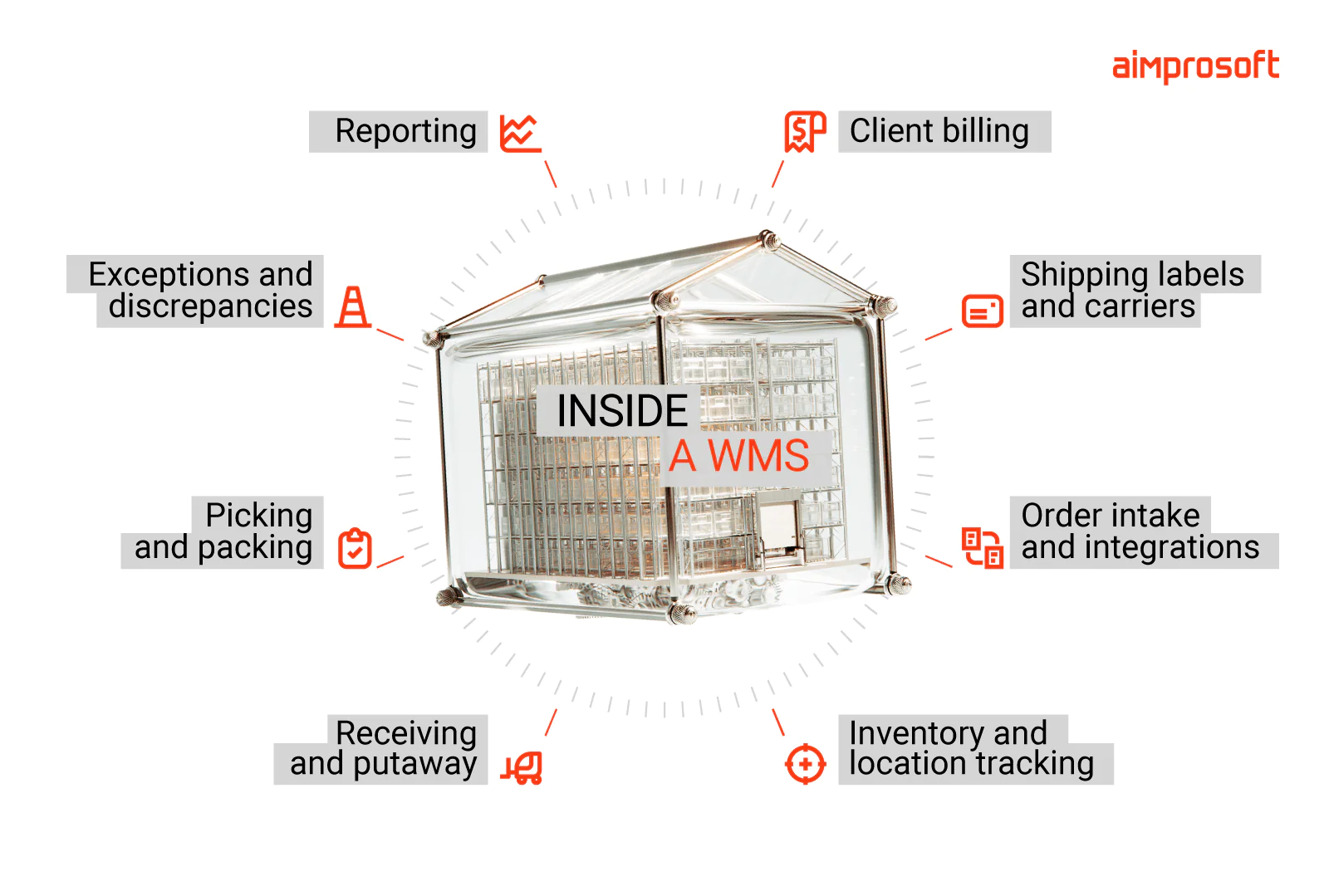
From our work with logistics projects, we’ve found it useful to treat a WMS not as one all-or-nothing system, but as a set of capabilities you can buy, configure, or build.
Custom WMS or off-the-shelf?
A WMS covers several layers of work, from tracking stock to packing orders and billing clients. Some of these layers are fairly standard and well served by existing software, while others depend heavily on how your operation runs. That’s why the buy vs build decision rarely applies to the whole system at once.
For instance, if staff are calculating client fees in spreadsheets, a billing add-on for your existing WMS might be all it takes. But if packing requires client-specific steps that no available tool can support, a custom packing component may be the better fix.
In both cases, the goal is to target the specific bottleneck rather than overhauling systems that already work. And looking at the WMS layer by layer helps you narrow that decision.
The table below shows what to look for in each layer.
| Layer | Existing software may be enough when | Custom development may be worth considering when |
| Inventory and location tracking | It supports your stock rules, storage locations, and required checks | Essential stock movements or restrictions can’t be represented reliably, so staff keep separate records |
| Receiving and putaway | Staff can record arrivals, check goods, and assign locations in the system | Recurring inbound requirements, such as mixed shipments arriving without notice, need separate instructions or manual records |
| Order intake and integrations | Available connectors transfer the data you need and keep order changes in sync | Missing fields, failed updates, or duplicate orders keep needing manual fixes, and existing connectors can’t solve the cause |
| Picking and packing | Configuration can enforce the steps, instructions, and checks each client requires | Staff leave the system to find client instructions, or carry out checks it can’t enforce |
| Shipping labels and carrier connections | Existing services support your carriers, shipment details, and label formats | You need custom rules for choosing services or triggering labels within a workflow. The carrier connection itself can still come from an existing service |
| Exceptions and discrepancies | Staff can investigate and resolve common problems within the WMS | The same problems keep requiring staff to switch between systems, compare records, and coordinate fixes manually |
| Client billing | The system records billable activities and applies the agreed charging rules | Staff rebuild charges from spreadsheets because warehouse work isn’t captured or priced correctly |
| Reporting | Built-in reports answer the questions you need to run the operation | Important decisions need combined data or measures that existing reports can’t provide |
How Zenfulfillment applied this approach
Zenfulfillment, an eCommerce fulfillment provider, already ran a custom WMS but relied on a licensed third-party tool for packing. As client expectations grew, the company’s packing workflows changed, and it needed more control over the process.
The tool handled standard tasks well but couldn’t accommodate all the required steps. We helped Zenfulfillment build a custom packing app to replace it as a new WMS module. The app supports barcode scanning, batch handling, automatic label printing, and client-specific packing steps.
Changes requested by warehouse staff can now be made faster, without waiting for a third-party provider to accommodate them. The switch also removed the cost of the packing tool’s license.
Today, staff use the app at 14 packing stations.
Learn more about our work on Zenfulfillment project in case study
How to combine custom and off-the-shelf parts without building a Frankenstein
Choosing a hybrid approach to WMS doesn’t mean accepting a patchwork of disconnected tools. The difference between a well-planned hybrid WMS and a Frankenstein of disconnected tools is defining what each system does and how they work together before implementation begins.
Every data domain needs one source of truth
To keep your systems clean, assign one system of record for each data type.
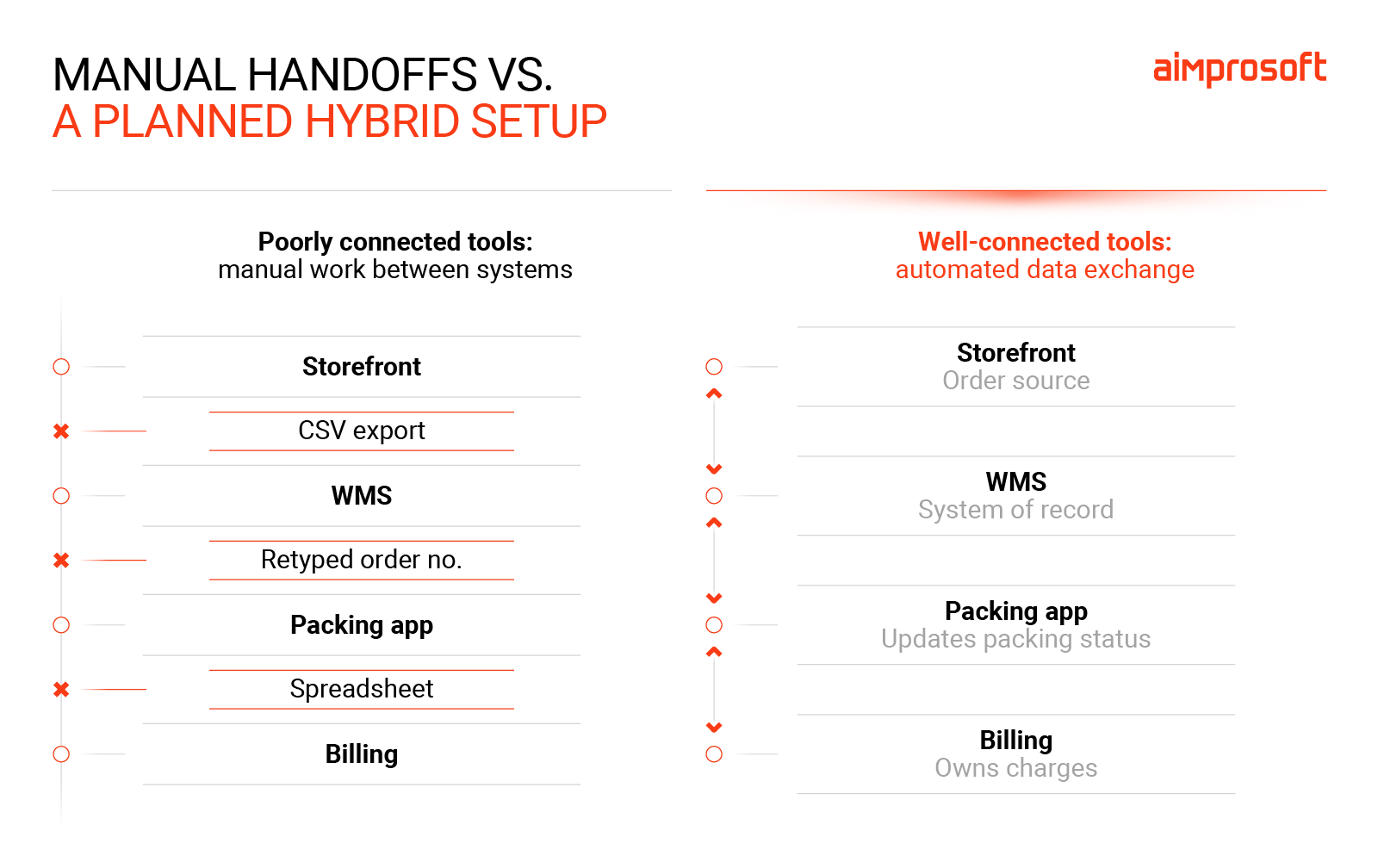
For example, a packing app can read order details to do its job, but the core order system remains the true owner. When the packing app updates a status to “Shipped,” it reports that back to the core system. If multiple apps try to act as the primary owner for the same data, they will conflict—leaving your team to figure out which one is right.
Systems should connect through integrations, not people
If someone exports a CSV from one system and imports it into another, or retypes an order number from one screen into another, the hybrid setup is already drifting toward a Frankenstein. In a working hybrid, data moves through defined integrations, and warehouse staff work in one interface per task.
Good integrations also plan for failure. A carrier, storefront, or ERP connection will eventually slow down or go offline. The system should queue the update, retry it, alert the right person if it keeps failing, and provide a way to reconcile data afterward. A connection that silently drops an order is worse than no connection at all.
Two workable hybrid patterns
Most workable hybrid setups follow one of two patterns.
A bought core with a custom layer. Use a standard WMS for inventory, receiving, and order management, then build targeted tools for workflows that force workarounds, such as exception handling or client-specific packing. This fits operations where most processes are standard, but a few workflows create recurring friction.
Those custom tools need to exchange data with the core WMS, so before choosing a vendor, check whether its API lets them read and update the information those workflows require. Include any API fees and usage limits in your assessment.
A custom core with bought services around it. Build the operational heart of the system yourself and connect commodity services such as carrier label APIs, accounting software, and storefront connectors. This fits operations where the warehouse process itself is part of the service clients pay for.
Why custom components are more realistic than they used to be
Both patterns rely on being able to build and change the custom parts without a large engineering effort. Until recently, that was the main argument against them. Replacing even one third-party tool, such as a packing or billing app, meant assembling a dedicated team and waiting months for a first version.
Coding assistants and AI agents have changed that. A small team can now build a focused tool much faster. Just as important, it can adjust the tool quickly when a client’s requirements change. For a fulfillment provider, that second part is where the value lies: being able to change a workflow on your own schedule is one of the strongest reasons to replace a third-party tool.
What AI doesn’t remove is ownership. A skilled engineer still needs to review the code, keep the tool running, update integrations as carrier and storefront APIs change, and support the people who rely on it every shift. AI-assisted development shortens the build, not the responsibility.
Key takeaways
The custom software vs. off-the-shelf decision becomes more manageable when you assess what each part of your WMS needs to do. As you compare your options, keep these principles in mind:
- Assess each capability separately. Keep what works and focus investment on specific gaps.
- Let workflow requirements guide the choice. Being a single-brand warehouse or a 3PL provides context, but doesn’t automatically determine the answer.
- Build where the added control justifies the responsibility. Custom development can address recurring workarounds and make workflow changes easier, but it also brings maintenance obligations.
- Plan how the parts work together. A hybrid WMS needs clear system responsibilities, one authoritative source for each data type, and reliable integrations.
- Check integration limits before committing. Vendor APIs, fees, and usage limits affect what you can connect and build later.
You may find that only a small part of your WMS needs custom development. The next step is to define what that part should do, how it will connect to your existing tools, and what it will take to maintain.