What Is Application Modernization? A Plain-English Guide for Technology Decision-Makers
Published: – Updated:

Legacy systems are the backbone of day-to-day operations for many companies. Yet they struggle with poor performance, growing maintenance costs, and limited compatibility with modern platforms. Maintaining legacy software often holds companies back from reaching new heights and consumes up to 80% of an enterprise’s budget.
Application modernization is your way to solve these problems. It lowers costs, and it gives you the agility and innovative capability you need to compete in 2026 and beyond.
This breakdown covers what is application modernization, helps you spot triggers and benefits, and shows exactly how modernization saves your business.
What is legacy application modernization?
Application modernization is the process of updating an existing software system to meet current business needs without rebuilding it from scratch. It preserves the business logic that still works while upgrading the code and architecture around it, so the system can scale and integrate with modern tools.
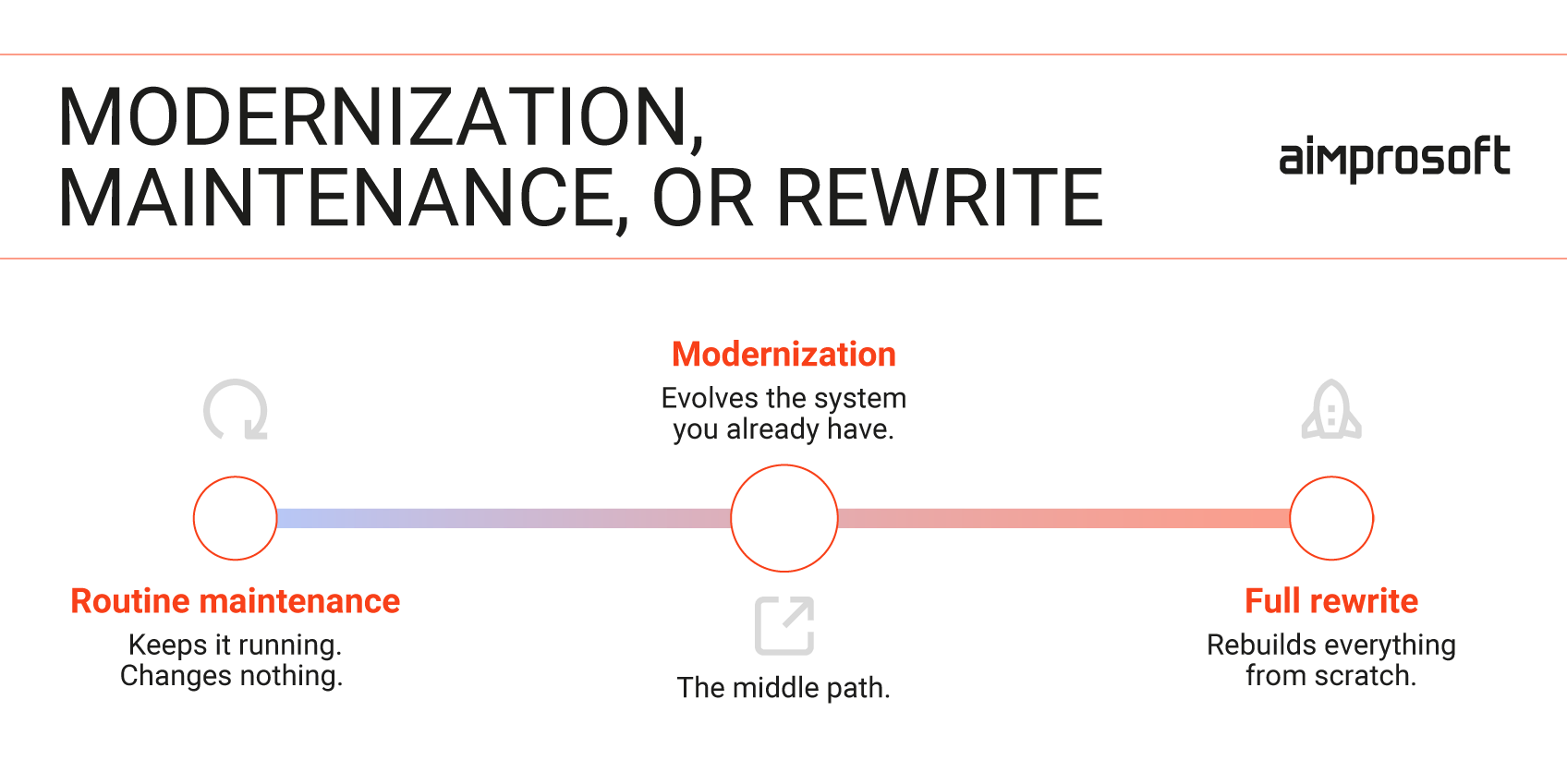
Modernization sits between two extremes. On one end is routine maintenance, which only keeps a system running. On the other is a full rewrite, which rebuilds everything from scratch. Modernization takes the middle path: it evolves the system you already have.
What is legacy software, and how do you spot it?
A legacy system, sometimes called a legacy app or legacy software, is more than just old. Plenty of dated systems run fine for years. A system becomes legacy when its structure either stops working or starts working against you.
Legacy systems are usually built on monolithic architecture. Everything is tightly coupled, so the system grows unstable and struggles to work with modern IT infrastructure. These systems may still run, but they force companies to spend much more on operations.
Business triggers for legacy software modernization
- You’re falling behind your competitors. Other businesses ship new features while you’re still mid-release-cycle, and the distance between you grows quarter after quarter.
- You’re failing audits. Unsupported software almost always means higher breach risk and failed security and compliance reviews. In regulated industries, that leads to fines, remediation costs, and a reputation as an unreliable partner.
- You’re exposed to key-person risk. As technical debt mounts and the few people who understand the system leave, you’re left to rebuild that institutional knowledge, which is costly and slow.
- You can’t act on new opportunities. A promising analytics capability, a SaaS partnership, or an AI initiative can hit a dead end because the legacy platform can’t support it. A strong business case dies on outdated technology.
- Growth is breaking the system. Traffic spikes cause outages that cost you sales and customer trust, and put business continuity at risk right when your sales and marketing finally pay off and demand peaks.
Why companies modernize: 5 key benefits of software modernization
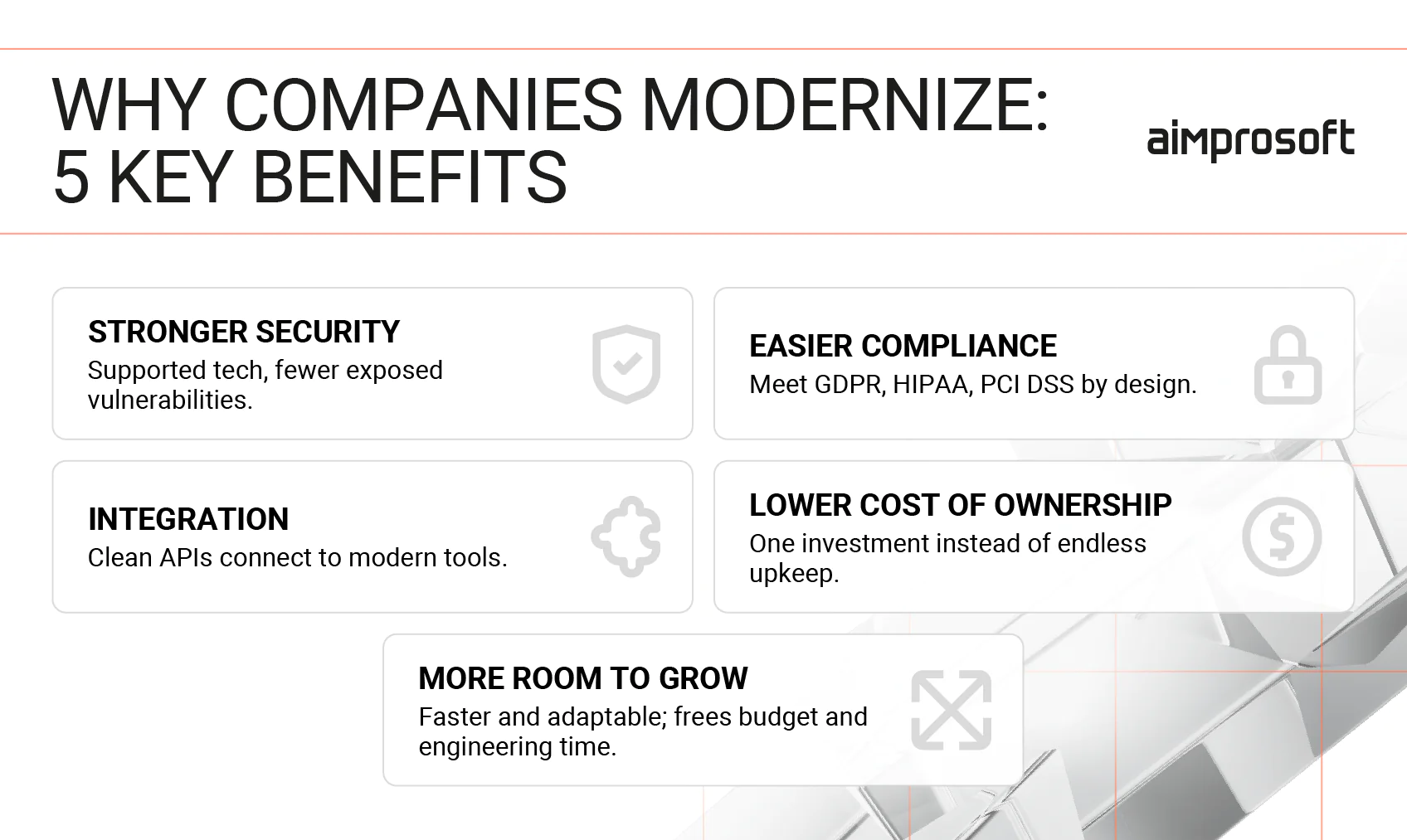
- Stronger security and data protection. Outdated systems are hard to patch and maintain – known vulnerabilities remain exposed to attackers. Modernizing brings the platform onto supported, current technology, so security and privacy controls improve as a matter of course. You significantly reduce the risk of a breach that can cost you data and customers.
- Easier regulatory compliance. Old technology often can’t meet the requirements of frameworks like GDPR, HIPAA, or PCI DSS, whether that’s proper encryption, audit logging, or data-handling controls. Modernization lets you build those requirements into the system itself, so you’re not forced to bolt them onto a foundation that was never designed for them.
- Seamless integration with modern tools. Most legacy systems don’t connect cleanly to the modern applications a growing business depends on, from analytics and CRM to payment and AI services. Modernization exposes clean APIs, so the platform can integrate with new tools and take on further updates.
- Lower total cost of ownership. Keeping an aging system alive is a cost that never stops. Specialized support, manual workarounds, and emergency fixes add up year after year, while focused updates usually pay for themselves over time.
- More room to grow. Slow, unreliable platforms frustrate users and drain the budget that could fund new initiatives. Modernized systems are faster, more adaptable, and easier to use. They free up both budget and engineering time for the work that moves the business forward, rather than simply keeping it afloat.
Modernization, migration, and rewrite: What’s the difference?
Modernization, migration, and rewriting are three distinct approaches, each with its own costs and risks. Migrating legacy applications, for example, is often part of a broader modernization effort. Here’s what separates them:
Modernization upgrades the system in phases while it stays live. A retailer can rebuild checkout, then catalog, without pausing online sales. This is the lowest-risk path for a business-critical system. Aimprosoft modernized a monolithic platform, reducing page load times from roughly 60 seconds to about 200ms, all while keeping the system live for its users.
Migration moves the system to new infrastructure or a database without making any other changes. Migrating legacy applications suits infrastructure cost constraints, scaling limits, or end-of-support pressure, and often runs as a single stage within a modernization program.
A rewrite builds the application again from scratch. It’s the slowest, costliest bet, and it fits only small tools or platforms on technology so obsolete that no incremental path exists.
How to modernize legacy applications: The main approaches
There are five common ways to modernize legacy systems. They work as a toolkit; the right choice depends on your system’s size and how much downtime your business can take.
- Incremental / Strangler Fig. New components grow around the old system and take over its functions one by one, until the legacy part can be switched off. You take and fund each step gradually. The safe choice when downtime isn’t an option.
- Refactoring. The code gets reworked underneath so it’s cleaner and faster, while the product behaves exactly as before. You gain lower maintenance and quicker changes, without introducing new features.
- Replatforming. The application shifts onto modern foundations, usually the cloud, with a few deliberate upgrades during the move. A mid-sized effort that trims running costs and opens up scaling.
- Rehosting / Lift-and-shift. The system moves untouched onto new hardware or the cloud. Fast and cheap upfront, though the system’s old problems move with it.
- Replacement / Big Bang. The whole system is rebuilt and swapped in a single move. It costs the most and carries the most risk, so it fits only small systems or ones you’re shutting down anyway.
Most software modernization programs use more than one method. A common program runs a Strangler Fig at the core, refactors the parts worth keeping, and replaces small subsystems that are already dead weight.
How long does modernization of legacy applications take?
How long modernization takes depends on how much of the system you’re changing. A single module usually takes a few months. Several connected systems take several months to a year, delivered in phases. A large core platform is even bigger, and it usually becomes an ongoing effort that improves the system release after release.
Modernization is less a project with an end date and more a habit. Once the system is stable, you keep improving it in small steps, instead of letting it decay until it needs another full rewrite. Every step brings its own gains, so you don’t wait for a distant finish line to see progress.
Key indicators that your business needs application modernization
Before you weigh modernization, take a look at how your systems hold up under day-to-day load. Specific pressure points reveal where your platform is falling behind. To start, work through these questions and answer each one yes or no.
- Does your system struggle with the different data formats it receives from your partners and internal tools?
- Do you have to modify or rebuild integrations every time you connect a new application?
- Does performance suffer when data volumes grow?
- Is it slow or hard to catch and fix data-processing errors with your current tools?
- Is maintaining the old infrastructure costing more than modernizing it would?
At least three “yes” is a signal it’s time for legacy systems modernization. When your engineers spend half their time patching legacy systems instead of shipping product, the cost of postponing modernization is much bigger than their salaries. Every month you wait, competitors release features you can’t match, win deals on capabilities you don’t have, and adopt AI tools your platform can’t support.
Ready to Modernize? See How We Do It!
FAQ
What is legacy modernization in simple terms?
Application modernization is the process of updating an existing software system to meet current business needs. It doesn’t necessarily mean rebuilding it from scratch. You keep the logic that works and upgrade the aging code and architecture around it.
What’s the difference between application modernization and migration?
Migration relocates a system to a new environment or database. Modernization goes further, re-architecting the application so it performs and scales. Migration is often a step inside a broader strategy.
What is legacy software, and when does it need modernization?
Legacy software is any system whose age or design now costs the business more than it returns. The reasons include security gaps, integration limits, and a growing maintenance burden. Once those costs outweigh the effort to fix them, it’s time to consider legacy application modernization.
Why do companies modernize their legacy applications?
The modernization of legacy applications usually starts for business reasons, such as falling behind competitors, security and compliance risks, talent shortages, integration difficulties, or an inability to scale. Later come the technical reasons: cutting technical debt and enabling digital transformation.
How long does application modernization take?
It can take anywhere from a few months for a single module to an ongoing, phased program for a core platform. The timeline of any legacy software modernization effort depends on the scope and the chosen approach.
Is application modernization the same as a rewrite?
No. A rewrite replaces the whole system and carries the highest risk. Modernization preserves the logic that works and evolves the system around it, which is usually a safer, lower-cost route. That’s also why replacing legacy systems outright is rarely the first step.
What are the main types of application modernization?
The common approaches are incremental (also called Strangler Fig), refactoring, replatforming, lift-and-shift, and Big Bang replacement. A modernization strategy usually includes two or three of them for different parts of a legacy system.
How do I know if our system needs modernization?
The main red flags include slow, risky releases, failed or barely passing audits, difficulty hiring experts for your stack, integrations that can’t be made, and uptime risk under load. Three or more is a strong signal it’s time to modernize.