B2B Portal Examples: 4 Real Portals and What Made Them Work
Published: – Updated:


If you’re collecting B2B portal examples before you talk to vendors, you probably already know why your company wants one. Your sales or service team keeps handling the same requests, like where’s my order? Can you resend that invoice? What’s our price for this item? Can you add a new user to our account? When those requests fill the team’s week with emails and phone calls, a portal starts to look like the obvious fix.
But a portal alone won’t solve these problems. Some focus on catalogs when customers mainly need order status and invoices. Others show prices or stock that don’t match the ERP, so people still call to double-check. Shared logins overlook the different needs of buyers, approvers, and finance staff. Trying to launch everything at once can also delay the everyday features customers need most.
This article opens our series on B2B portals by looking at what it takes to get that test right. The four portals below are live systems our teams have built and maintained, three of them for more than a decade. Each includes the business problem, relevant features, and a documented outcome. Let’s get started.
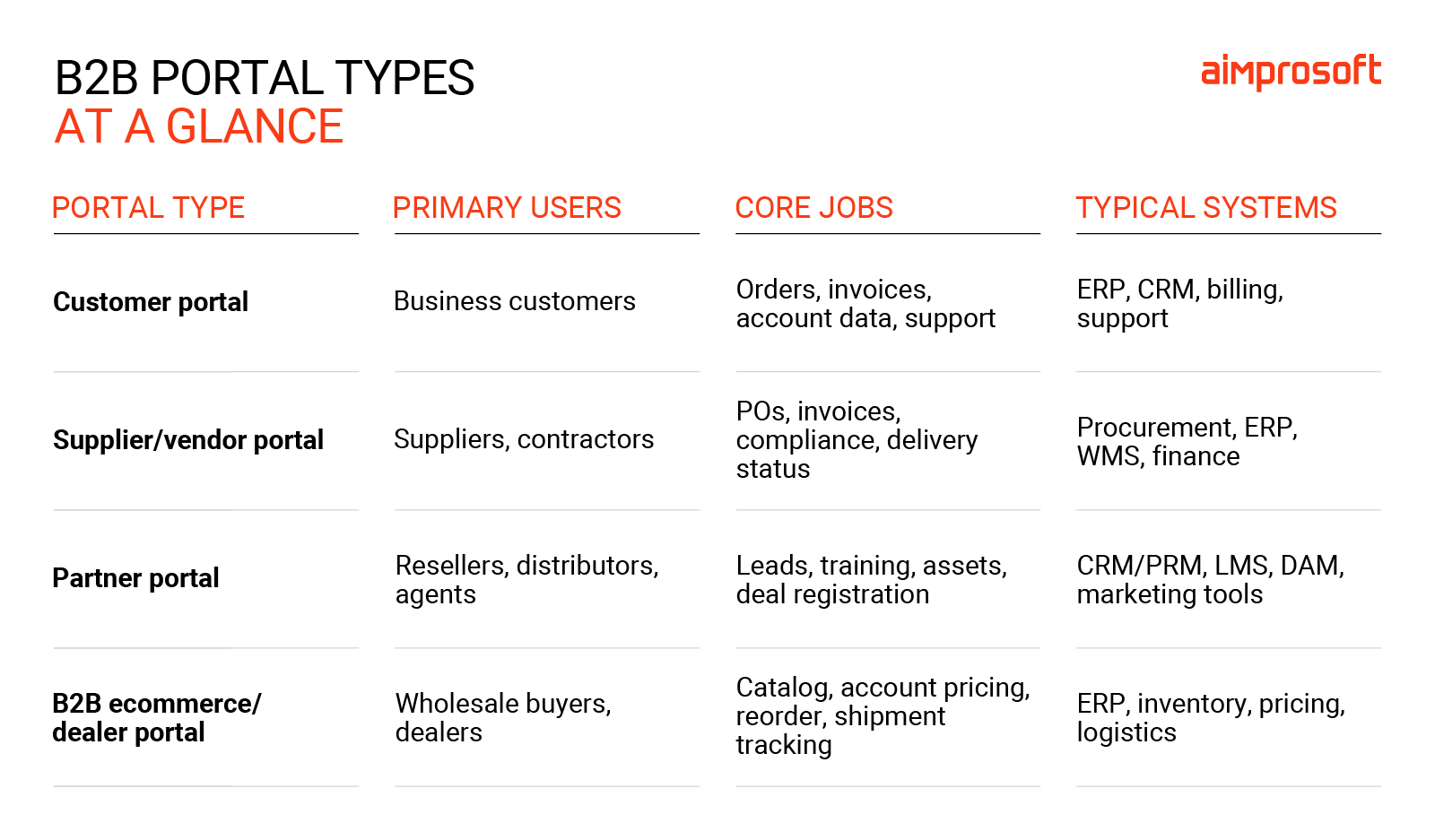
What is a B2B portal? The types to know
A B2B portal is a secure online workspace where businesses interact with customers, channel partners, or suppliers. Users can access company-specific information and complete tasks such as placing orders, managing services, or approving access requests.
The label depends on who uses it and what they need to do. A customer may need invoices and subscription details, while a dealer needs permission to share data. Some portals serve several groups, with different access for each.
1. PlatformX Communications: A wholesale partner portal
Type: Partner/channel portal
Who uses it: Broadband resellers and telecom providers working with PlatformX Communications (PXC), a UK wholesale telecom business.
What it replaced: An earlier portal whose limited scalability and automation could no longer support the growing partner network. The work involved modernizing an existing platform while keeping daily operations running.
Key features:
- Connectivity and service management through 1Access
- Tools for cloud quoting and ordering
- Administration of users, roles, suppliers, and networks included in quotes
- Dashboards with shortcuts to orders, customers, and quotes
- Search across orders, support cases and service configurations
Result: The platform serves more than 1,000 partners. PXC also reports that 96% of its full-fiber broadband (FTTP) orders are processed without manual intervention. These are outcomes of the broader platform’s evolution, rather than a standalone interface to redesign.
What to take from this example: If you are planning a B2B ordering portal, examine what happens between submitting an order and delivering the service. A digital form offers limited relief if employees still need to re-enter its contents elsewhere. Ask which checks can happen automatically, where a person must approve a decision, and how the partner will see progress. Those answers help define the integration work behind the portal.
Read the full PlatformX case study
2. Motive Retail: Dealer approval and data access
Type: Dealer data-access and partner governance portal
Who uses it: Participants in an automotive integration ecosystem, including dealers, manufacturers, and software providers.
What it replaced: Manual dealer approvals within a growing API integration environment. Connecting systems also required a way to govern which participants could access dealer data.
Key features:
- Activate, which manages API subscription approvals and dealer data flows
- Console, which provides API traffic and performance monitoring
- Administration tools for configuring services and subscriptions
- A separate certification platform that checks integrations before production use
Result: Activate processes more than 100,000 API requests daily. The wider MIX platform handles more than 50 million transactions per month. These figures describe operating scale; they do not measure how much faster an individual approval became.
What to take from this example: A portal can be valuable even when its main transaction is permission. For a manufacturer sharing data with dealers or external software providers, scoping should include who requests access, who authorizes it, and what happens when that relationship changes. Treat these as user workflows alongside ordering or account management. Otherwise, the interface may move online while the decisions behind it remain in email.
Learn more about the full case on Motive Retail
3. Optima Italia: One account for several service lines
Type: Customer self-service portal serving B2B and B2C users
Who uses it: Business and individual customers of Optima Italia, an Italian provider of utilities, telecom, and insurance services.
What it replaced: A more limited, earlier customer portal. As the service portfolio expanded, the challenge was to support multiple offerings through a coherent account experience and consistent data across channels.
Key features:
- Account and service management
- Utility consumption information and meter readings
- Bill access and payment
- Mobile plan changes and insurance purchases
- Shared backend infrastructure and real-time data exchange with agent-facing tools
Result: Customers can manage recurring service tasks through Area Clienti. The wider suite of solutions supports a provider serving more than 200,000 customers. That figure describes business reach, rather than verified portal adoption or a measured reduction in support requests.
What to take from this example: Among B2B customer portal examples, this is relevant when one account covers several services. During discovery, check whether users need a combined overview, separate service views, or both. A finance employee looking for bills may need a different starting point from an operations employee checking usage. Plan navigation around those tasks and decide which information must remain consistent across the portal and employee tools.
Read more about the benefits of the customer portal with the Optima Italia case
Surfact: Device orders, organizations and subscriptions
Type: Customer ordering and subscription portal
Who uses it: Organizations purchasing and managing Surfact’s IoT devices, along with administrators responsible for users and orders.
What it replaced: This was a new build, not a documented replacement of an existing portal. Surfact needed a shared workspace for device orders, subscriptions, and financial transactions.
Key features:
- Device registration, organization assignment, and status information
- Organization and subscription management
- User roles and permissions
- Event logs recording portal activity
- Stripe integration, including invoice payment support and subscription updates through webhooks
Result: The portal launched on schedule and brought ordering, subscriptions, and payment information into one place. The published case describes simpler operations but does not provide a quantified reduction in processing time or errors.
What to take from this example: When a physical product comes with a recurring service, define what happens after checkout. Who owns the device record? Which organization pays for the subscription? Who can make changes? A B2B self-service portal needs to reflect those relationships so that ordering, account administration, and billing work together. Payment methods also deserve early attention: a purchasing team’s invoice requirements may affect the workflow you build.
Learn more about the web portal for efficient device ordering
Off-the-shelf portal software or custom?
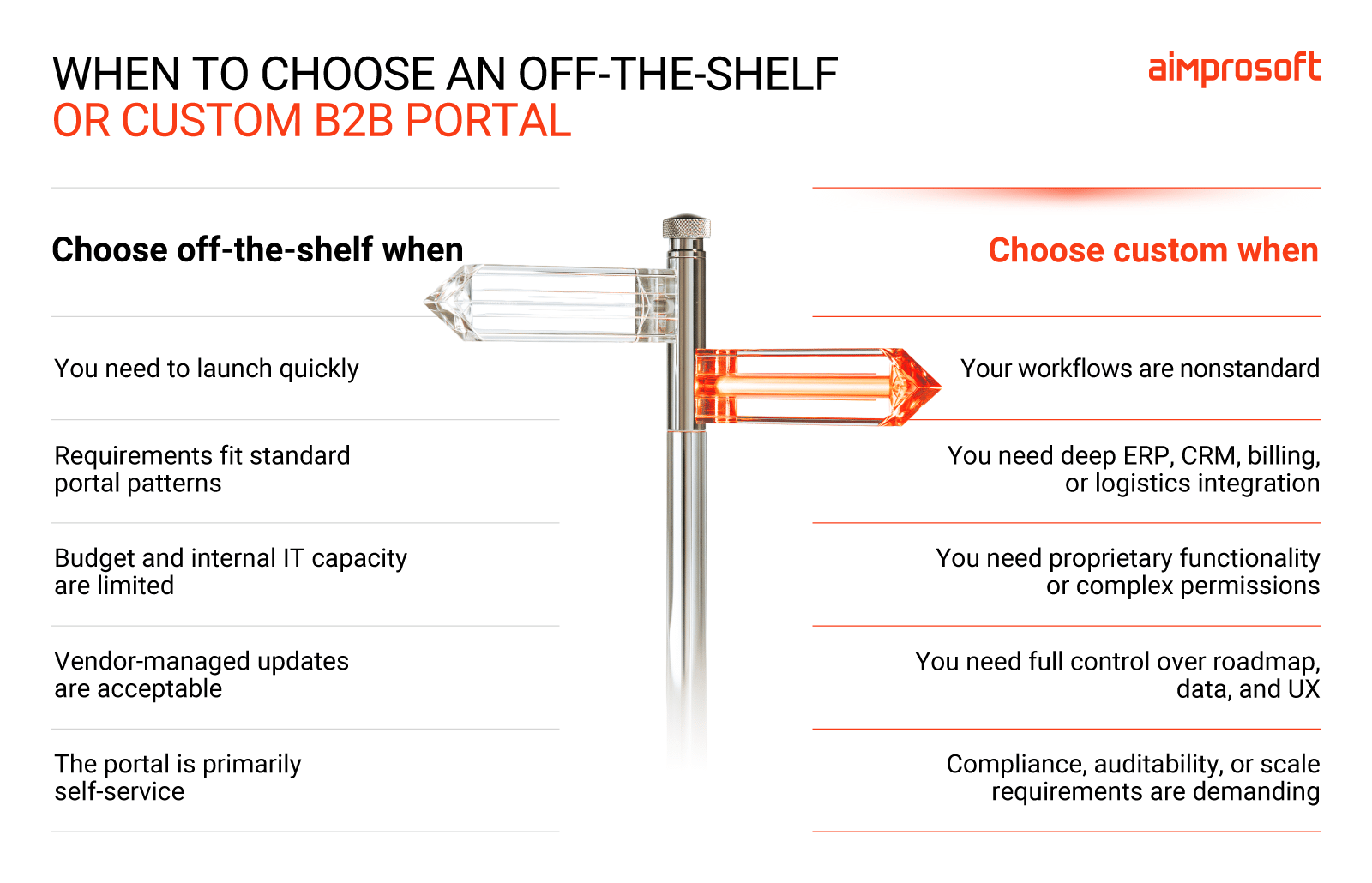
If your portal mostly needs a catalog, customer-specific prices, reorders, and order history, B2B portal software will probably cover it. SaaS B2B commerce platforms and the portal modules that come with many ERPs handle that pattern well. They launch faster, and someone else carries the maintenance.
None of the four examples fit that pattern, and the reasons are specific. PXC partners compare and order services from several networks in a single quote, which is pricing logic most packaged tools don’t model. Motive Retail’s dealers approve each data subscription, and every decision needs an audit trail; off-the-shelf tools tend to handle “approve this order” rather than “approve who may access my data.”
Optima puts electricity, gas, telecom, and insurance under one customer login, each a different kind of service. In 2023, Surfact needed subscription billing for hardware with an invoicing option that its payment provider didn’t support out of the box.
A rough test: if you can describe your portal’s main jobs using screens a SaaS vendor already shows in its demo, buy. If the description keeps needing an “except” (except our pricing depends on the carrier, except dealers have to sign off), price out custom b2b portal development before you commit to bending a platform to fit.
How to use these examples to scope your own portal
Use the closest example to frame an initial brief. You do not need a complete feature specification before speaking to a development partner, but these four inputs make the conversation more concrete:
- List the top inbound requests. Review recent support and sales messages. Record frequency, handling time, and the information employees need to resolve each request.
- Map users and roles. Identify who submits, approves, pays, and administers access. Note which tasks cross company boundaries.
- List the systems involved. For each task, name the system that holds the authoritative record and any system that must receive an update.
- Choose two or three success metrics. Options include routine status inquiries per 100 orders, median approval time, or the share of eligible orders completed without employee intervention. Record a baseline first.
Together, these inputs help distinguish a useful first release from a collection of attractive features.
FAQ
A B2B portal is a secure web application where business customers, partners, dealers, or suppliers manage their work with your company themselves: prices, orders, invoices, documents, users, and requests. Unlike a consumer shop, it’s built around company accounts with several users, roles, and account-specific prices or contracts.
A customer portal serves the company that buys from you, so it focuses on that company’s own orders, bills, and account. A partner portal serves companies that sell or deliver your products to someone else. Partners need quoting, ordering on behalf of their end customers, and visibility into margins or provisioning, as the PXC example shows.
It depends mostly on the number of integrations and how unusual your business rules are. Surfact’s first release took about eight months with a team of six. Larger portals like PXC keep growing for years after launch, which is why it makes sense to plan the first release around your top requests rather than the full wish list.
Almost always. Prices, stock, order status, and account data already live in those systems. Without the integration, someone on your team ends up re-keying portal orders, and customers see figures that don’t match their invoices.
Yes, and for standard catalog-and-reorder needs that’s often the right call. The cost of switching later comes mainly from migrating accounts and retraining users. Keeping your ERP or CRM as the source of truth from day one makes the portal itself easier to replace.